

Player Guide
This page shows what your players see. You can link it in your Discord.Opening the menu
Players can change F10 in the GTA settings under Key Bindings → FiveM.
The menu has three tabs: Map, Interface and Game settings. The
header shows the server name and logo, the player’s name, ID and headshot and
how many players are online.
Map
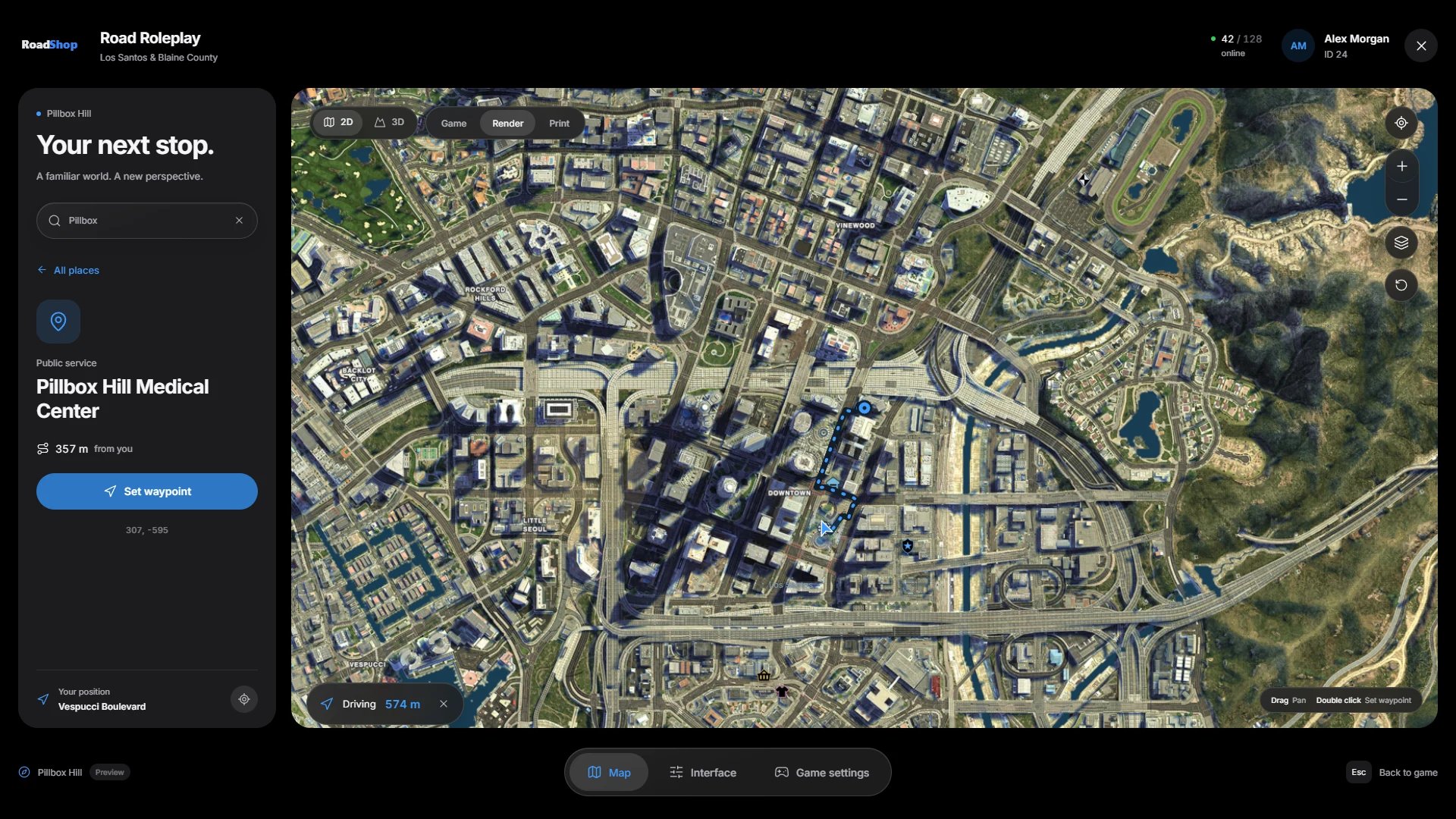
Views and styles
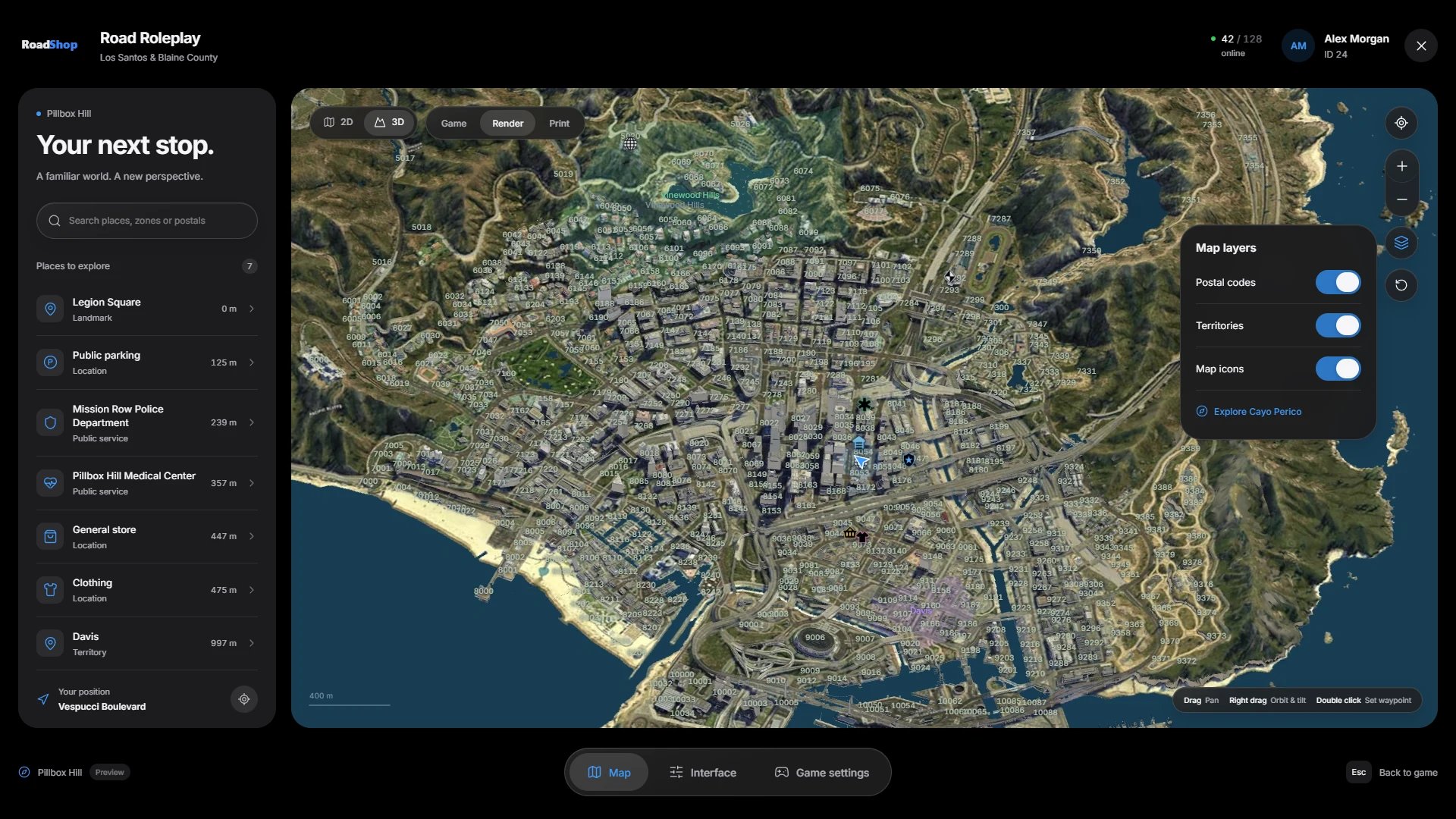
- 2D shows the map from above. 3D shows the terrain and the city’s buildings; hold the right mouse button to orbit and tilt.
- Render, Game and Print are three map styles. Render is the default.
- In 3D, buildings appear in built-up areas only. Mountains and countryside stay terrain with the satellite image.
Moving around
Search
The sidebar lists the server’s places with their distance. The search finds places, territories, map icons and postal codes; type a number to search postals. Select a result to see its details and press Set waypoint.Waypoints and routes
A waypoint draws an animated route with its distance at the bottom of the map. On foot and in cars the route follows the roads. Boats and aircraft get a direct line. The × next to the distance clears the waypoint.Map layers
Interface
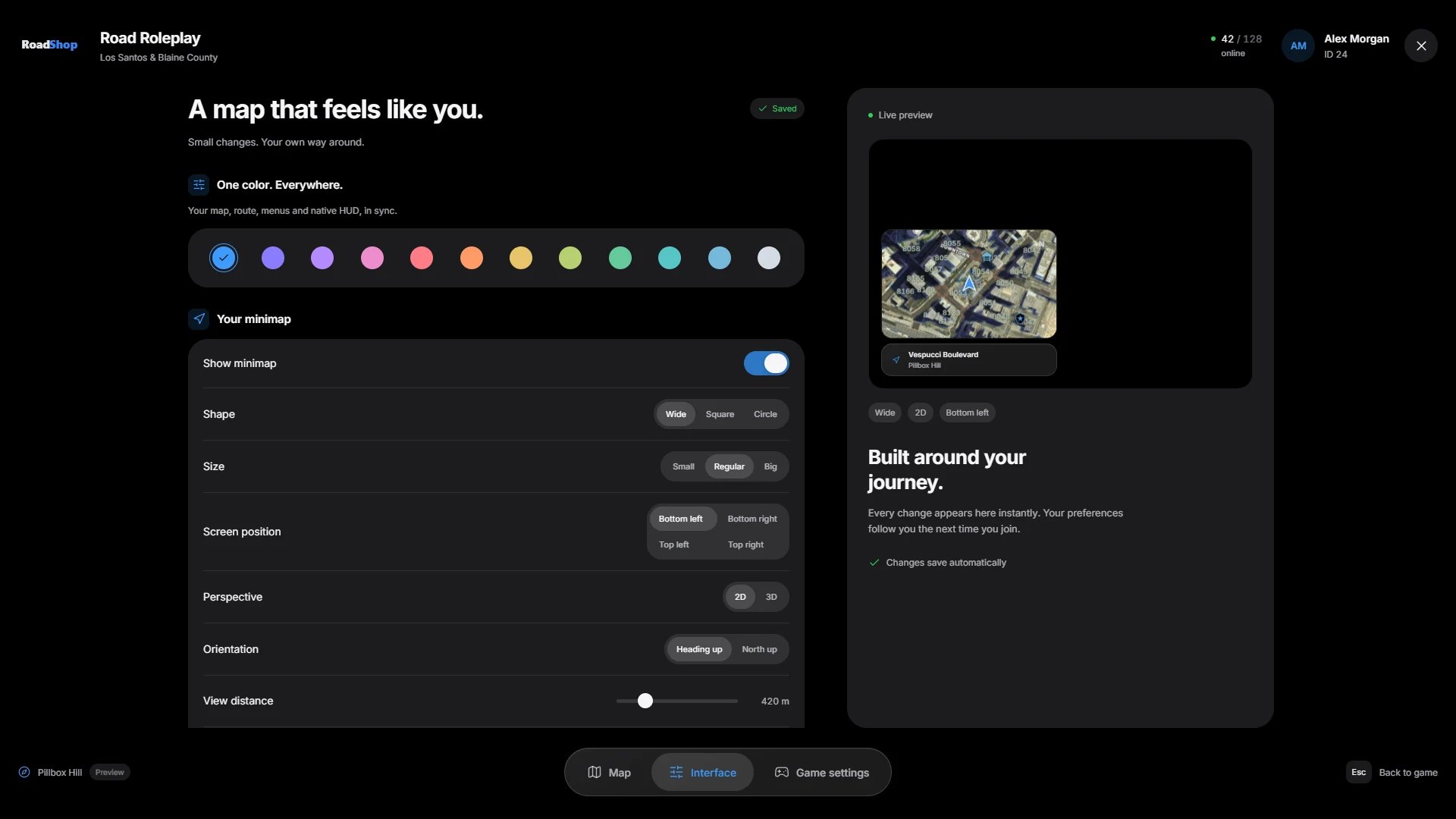
/roadmapreset restores all interface settings to their defaults.