

Is RoadPhone Fold included with Pro?
Is RoadPhone Fold included with Pro?
I found a bug — what should I do?
I found a bug — what should I do?
How do I give myself or others permission to approve music?
How do I give myself or others permission to approve music?
/music-verify:- The command toggles: no permission → grants it, already has it → revokes it
PLAYERIDis the server ID of the player (visible in the player list / txAdmin)- Only administrators can run the command
All Commands
My Music Library is empty — what do I do?
My Music Library is empty — what do I do?
Add songs through the Music app
Approve the pending songs
I don’t hear music in the Music app
I don’t hear music in the Music app
- Clear your client cache.
- Check that GTA music is turned on.
- Verify your Windows volume mixer isn’t at 0% (this is independent of FiveM).

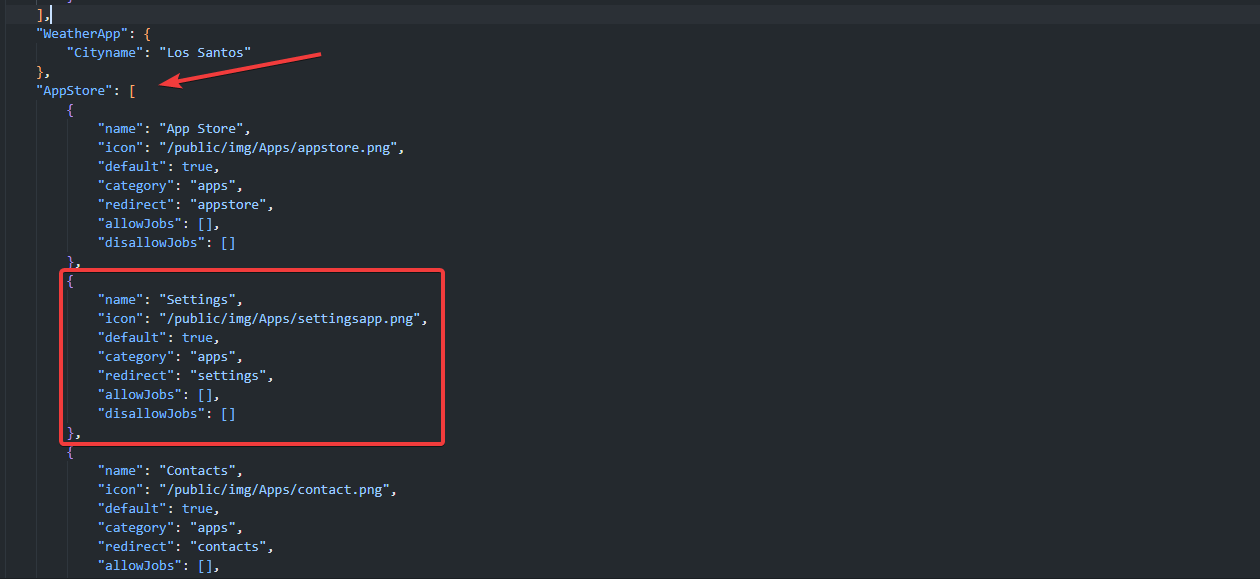
How can I remove apps?
How can I remove apps?
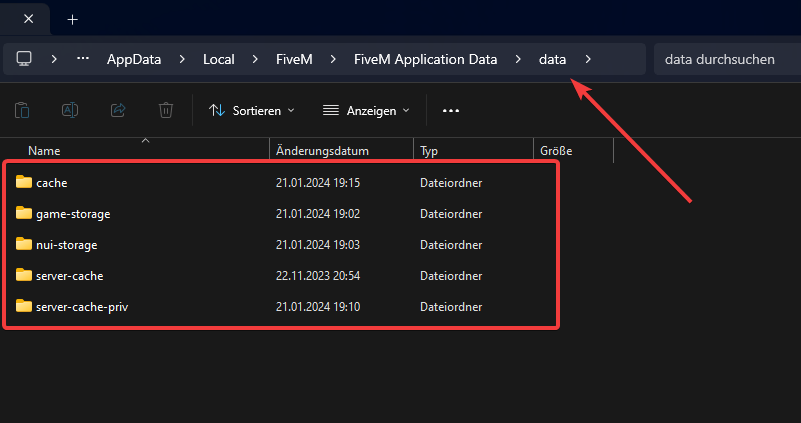
Images / Videos are not saved in the Gallery
Images / Videos are not saved in the Gallery
API.lua.Upload Setup
Add jobs to the Service App / Add dispatches
Add jobs to the Service App / Add dispatches
job, name, shortName, icon, number, openingHours, minGradeToManage and the coords.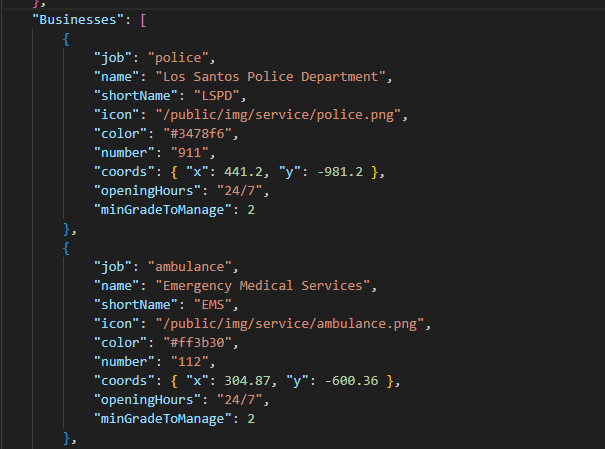
Add my own notifications
Add my own notifications
sendNotification(text) and replace Bridge.Notification.Show(text) with your notification trigger.Talk on the radio and voice at the same time
Talk on the radio and voice at the same time
EnableHardCoreMode to false in your SaltyChat config.Mouse stuck in the center when opening the phone
Mouse stuck in the center when opening the phone

Notify EMS when someone is down
Notify EMS when someone is down
- ESX
- QBCore / Qbox
esx_ambulancejob/client/main.lua, find SendDistressSignal() and replace:Phone doesn't open after reviving
Phone doesn't open after reviving
bridge/modules/events/shared.lua and change the PlayerSpawn events from your framework you using to the custom event.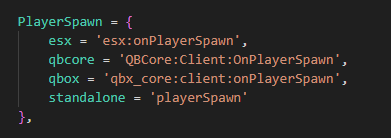
Disable cryptocurrency
Disable cryptocurrency
config.lua, set Config.Crypto = false.Lock radio channels
Lock radio channels
config.lua, configure Config.lockedRadioChannels with the channel list.
Change the phone language
Change the phone language
config.json.config.lua, set the locale to your preferred language.SaltyChat: Radio doesn’t work
SaltyChat: Radio doesn’t work
If not, try our SaltyChat version.
Car is locked after valet delivery
Car is locked after valet delivery
clientAPI.lua:Disable car delivery
Disable car delivery
DeliverCar to false.GetExtendedPlayers error (es_extended 1.1/1.2)
GetExtendedPlayers error (es_extended 1.1/1.2)
es_extended/server/functions.lua:Problems with VideoCall
Problems with VideoCall
- Clear your client cache.
- On the first video call after clearing the cache, accept the F8 prompt to allow recording.
- Accept the Windows Defender warning when it appears.
Use a fixed prefix for phone numbers
Use a fixed prefix for phone numbers
- Metadata mode (default)
- Without metadata
server/phone_metadata.lua → GeneratePhoneNumber(). Keep the collision check and the provider check intact, and only change how the number is composed:I forgot my phone PIN ( only without metadata )
I forgot my phone PIN ( only without metadata )
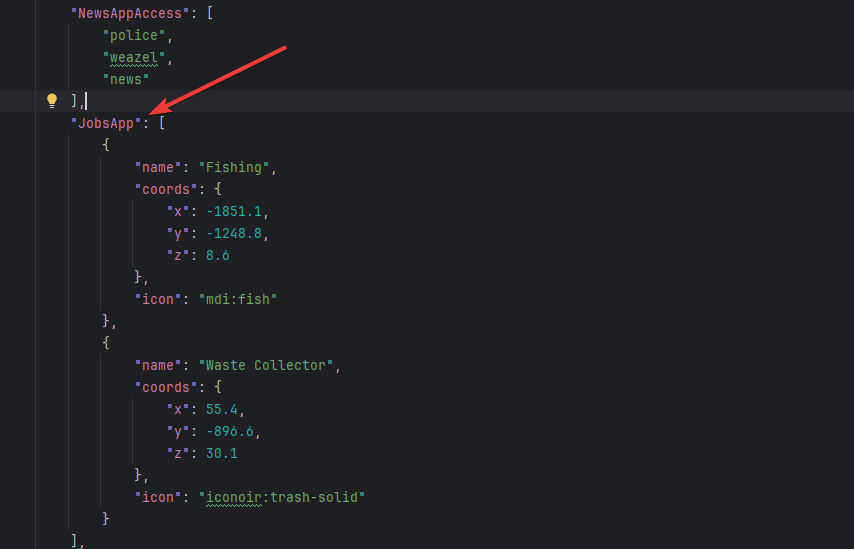
Add jobs to the Jobs App
Add jobs to the Jobs App

ox_inventory with metadata
ox_inventory with metadata
stack = false and close = true.Metadata System
OxInventory snippets
OxInventory snippets
A player lost their phone data / has the wrong data
A player lost their phone data / has the wrong data
Config.UseMetadata = true the data lives on the phone item, not on the player. So:- Data “disappeared” after a trade or a death drop → it is on the phone item, wherever that item now is. Whoever holds it sees it. That is the intended behaviour.
- Wrong data after a player used a second phone → each phone item has its own number and its own data.
- Nothing at all → run
/rpselftest. It reports whether the item was found, which slot is active and whether the inventory supports metadata.
Config.PhoneWriteBehind), so another resource reading the item straight after a change can still see the old value. Flush first:Can a player get their data back after losing the phone?
Can a player get their data back after losing the phone?
roadshop_backups.I forgot my phone PIN (with metadata)
I forgot my phone PIN (with metadata)
- In character: the mechanic NPC resets the PIN (
addons/mechanic/config.lua,features.resetPin, default price $500 — setrequirePayment = falseto make it free). - As admin: clear it from the item metadata via
UpdatePhonePin(source, nil, 0).
How do calls cost money / how do I bill for a phone?
How do calls cost money / how do I bill for a phone?
SIM Card System
How do I make phones run out of battery?
How do I make phones run out of battery?
chargeBattery, startCharging and stopCharging from the server exports.Loop is printing money on my server
Loop is printing money on my server
config.lua:DiamondRatio * DiamondValue / CoinPrice. With the defaults, 50% of everything spent comes back and 50% is destroyed. Lower DiamondValue or DiamondRatio to remove more money; raise MinPayout to slow payouts down. Run loopselftest in the server console to check the app’s setup.