

Installation
Road Pause Menu replaces the pause menu and the minimap with one interface: a 2D and 3D world map with search and GPS routes, a minimap players can shape themselves, your server’s name and logo, and a hand-off to the native game settings.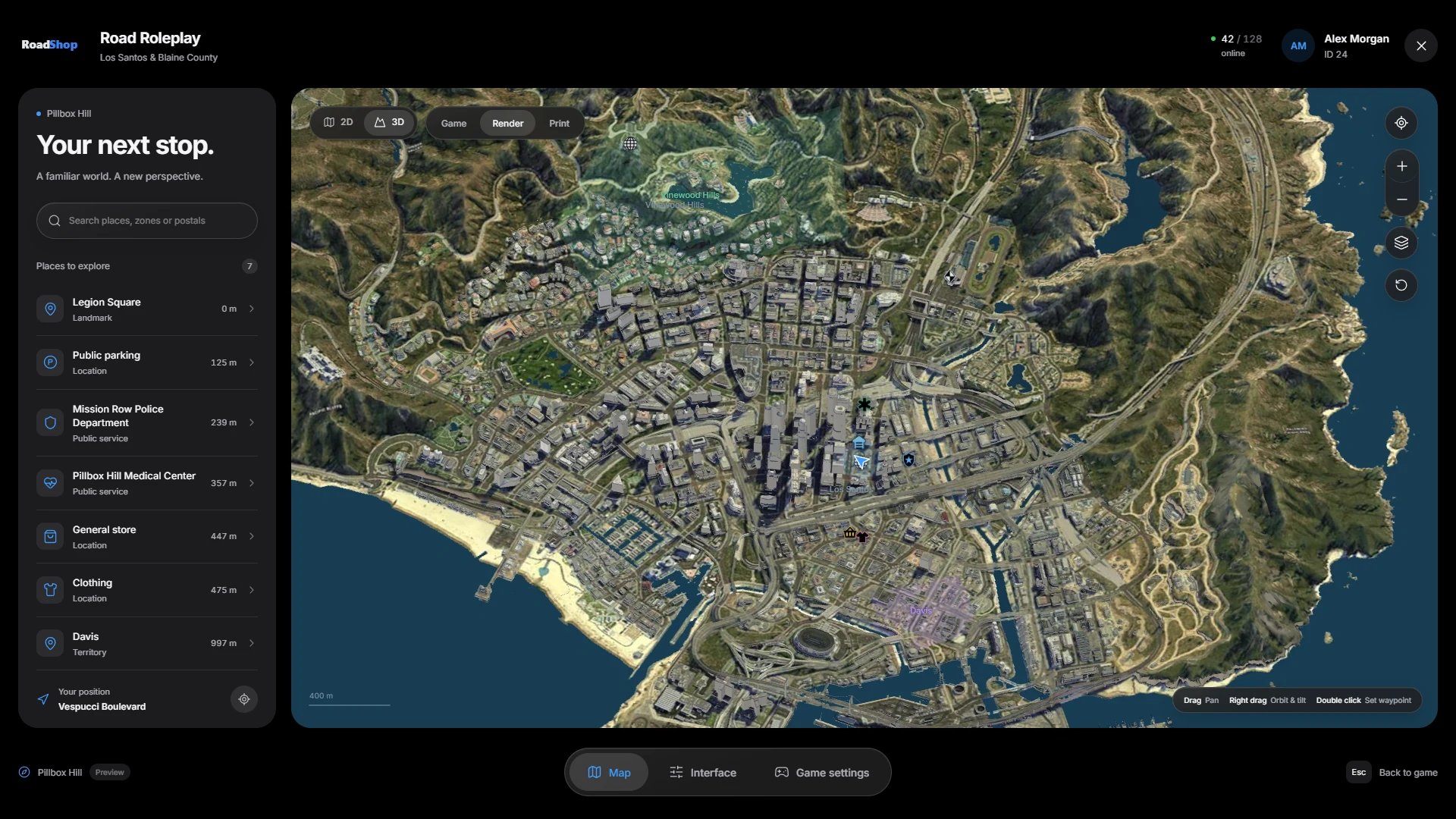
Do not use FileZilla. It can corrupt or skip hidden files during upload.
We recommend WinSCP.
The download comes from the cfx.re Portal. No database
and no SQL import are needed: player preferences are saved on each player’s
own PC.
📋 Prerequisites
Framework
ESX, QBCore, Qbox or no framework (standalone). The included RoadShop
Bridge detects it automatically.
Outbound HTTPS
3D buildings and map images stream from RoadShop’s map service. See
Map data.
🚀 Setup Instructions
1
Extract the resource
Put the folder into your resources. We recommend a
[road] folder
alongside our other scripts:2
Start it after your framework
server.cfg
3
Add your server name and logo
config.lua
public/assets/server-logo.svg with your own logo, or put an
.svg, .png, .webp or .jpg file into public/assets/ and point
Logo at it. Web addresses are not allowed here.4
Restart the server
Restart the server, or run
refresh and ensure road_pausemenu in the
server console.🌐 Language
config.lua
en) and German (de) are built in. Config.Locale is the
language for new players; each player can switch it in Interface. The
texts live in public/locales/en.json and public/locales/de.json and stay
editable after the Asset Escrow upload.
✅ Verification
- The server console shows no
road_pausemenuerrors on start. - In game, Esc opens the menu with your server name and logo instead of the GTA pause menu.
- F10 or
/roadmapopens the map. - The map loads the city in 3D after a short moment, and the minimap appears in the bottom left corner.
📚 Next Steps
Player guide
Map, search, routes, minimap and interface settings
Configuration
Keys, places, territories and branding
Map data
How the 3D map streams and what your server stores
FAQ
Any problems or questions?